
← Home

Hammock

A voice notes app for iPhone and Apple Watch. You talk, it transcribes what you said and rewrites it into a clean note, using the AI provider and keys you choose.

The Hammock app icon

Why I built it

The best thinking I do rarely happens at the keyboard. It shows up on a walk, in the shower, somewhere away from the screen, and by the time I'm back at the computer the sharp version of the idea has usually gone soft. Sitting down to type can kill the thought outright. Moving through the world is what knocks the ideas loose in the first place.

For years my capture tool was the Apple Watch. A quick voice memo, or a reminder dictated to Siri. It was always on my wrist, but I never fully trusted it. I would second-guess whether Siri heard me right, and I was always a little afraid the idea I had mid-walk would come back garbled, or not come back at all. Capture only works if you trust the thing will still be there later, in a form you can actually find.

Plain voice memos don't really solve it either. The workflow is record on the watch, wait for it to reach the phone, transcribe it somewhere, clean up the wall of ums and false starts, then file it so it's searchable. By the end the idea has cooled. The AI apps that collapse those steps mostly want you inside their box: their model, their cloud, their subscription, their copy of your audio. I didn't want to rent my own thoughts.

Hammock is the tool I wanted for the away-from-the-computer part of the work. Talk for as long as you like, and get back a clean, titled, searchable note you'd actually keep, on terms you set.

What it does

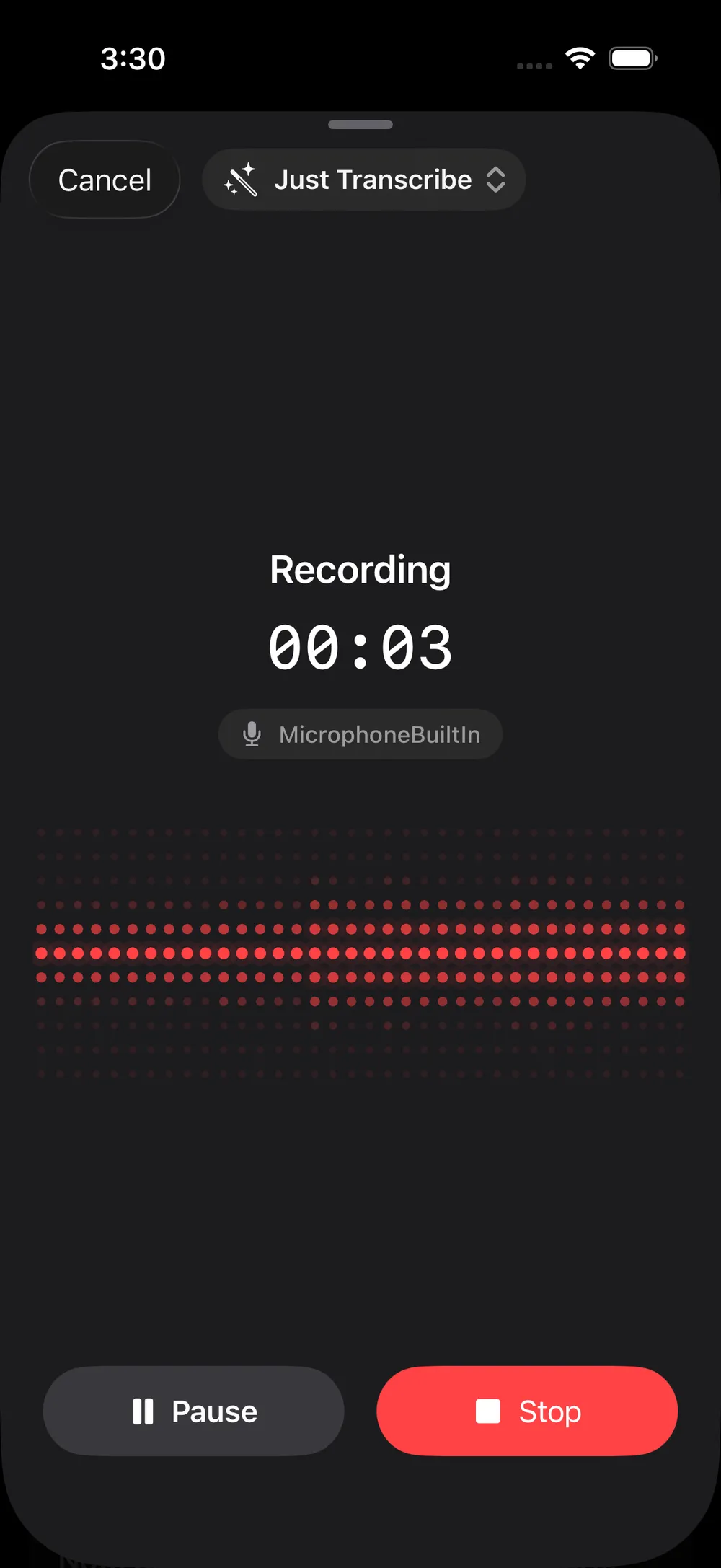
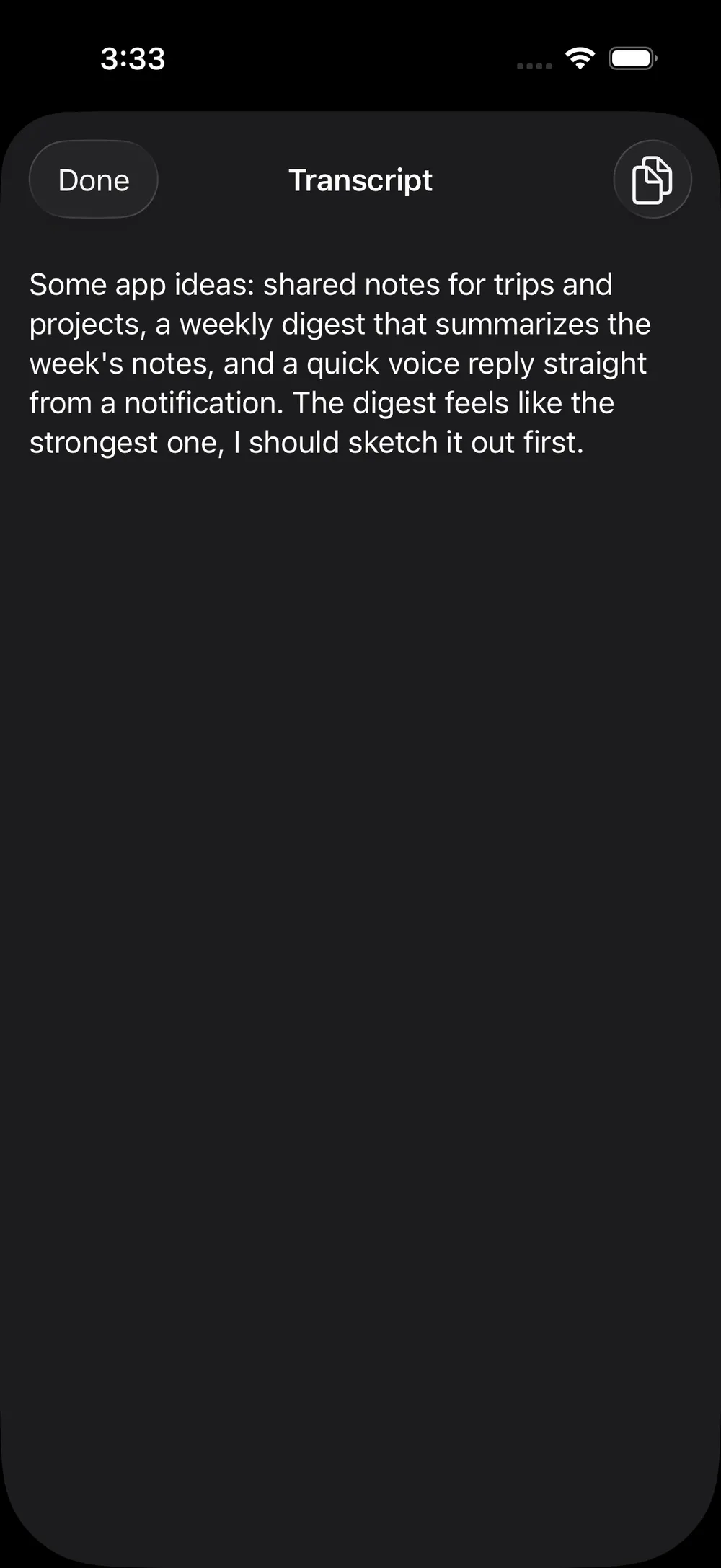
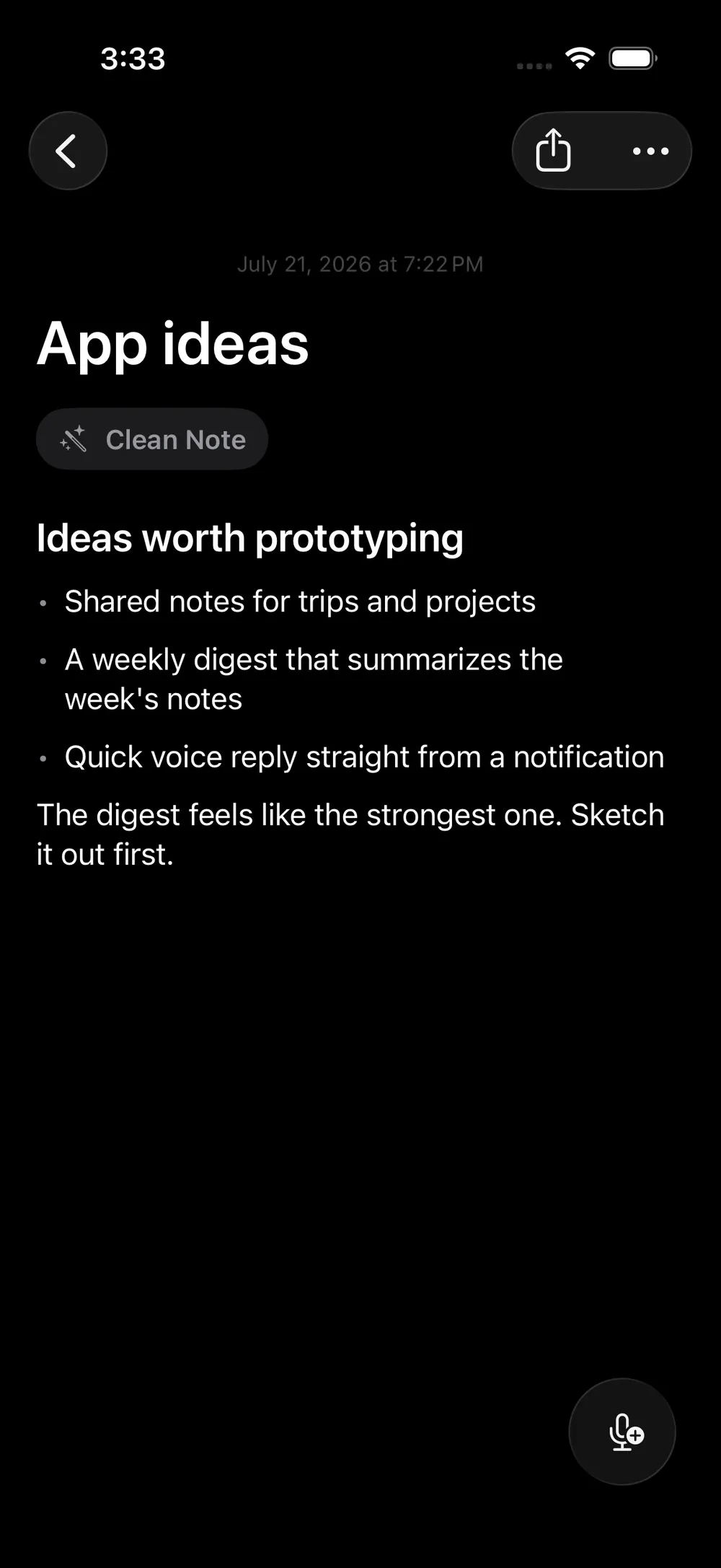
Talk, and get a written note back. Record a voice memo and Hammock transcribes it, then rewrites the raw transcript into a clean, readable note (a title, a short summary, and the body) organized while you were still talking.

Add to a note by voice. A thought is rarely finished the first time you say it. Come back to any note and keep talking, and the new audio is transcribed and stitched into what's already there, so one note grows with an idea instead of scattering across a dozen files.

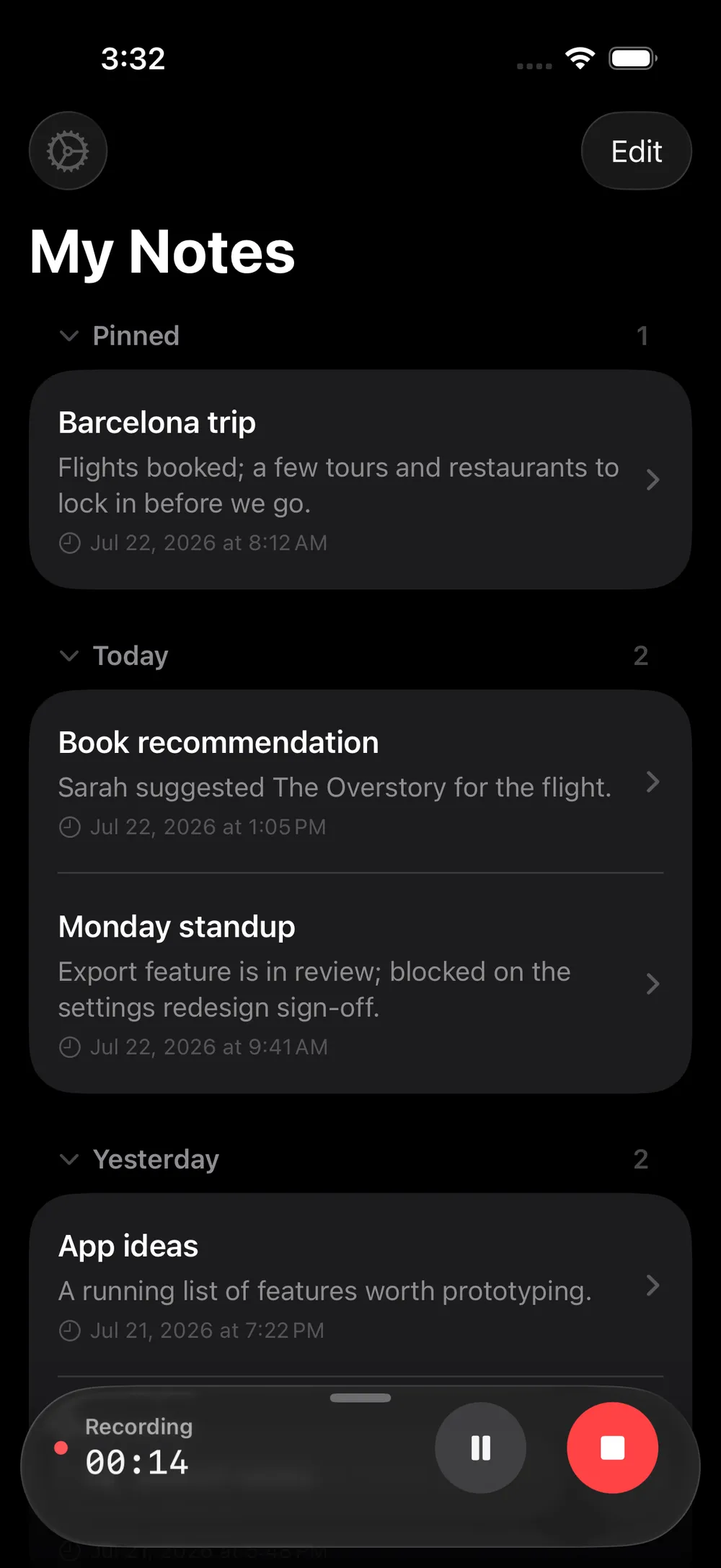
Everything stays searchable. Notes group by Today, Yesterday, and further back, and full-text search covers the title, summary, note, and the original transcript, so you can find a note by any words you actually said.

Your notes, on all your devices. Notes sync through your own private iCloud across iPhone, iPad, and Apple Watch.

Bring your own model

Hammock has no account and no server of mine in the middle. You add an API key for the provider you want and the app talks to it directly.

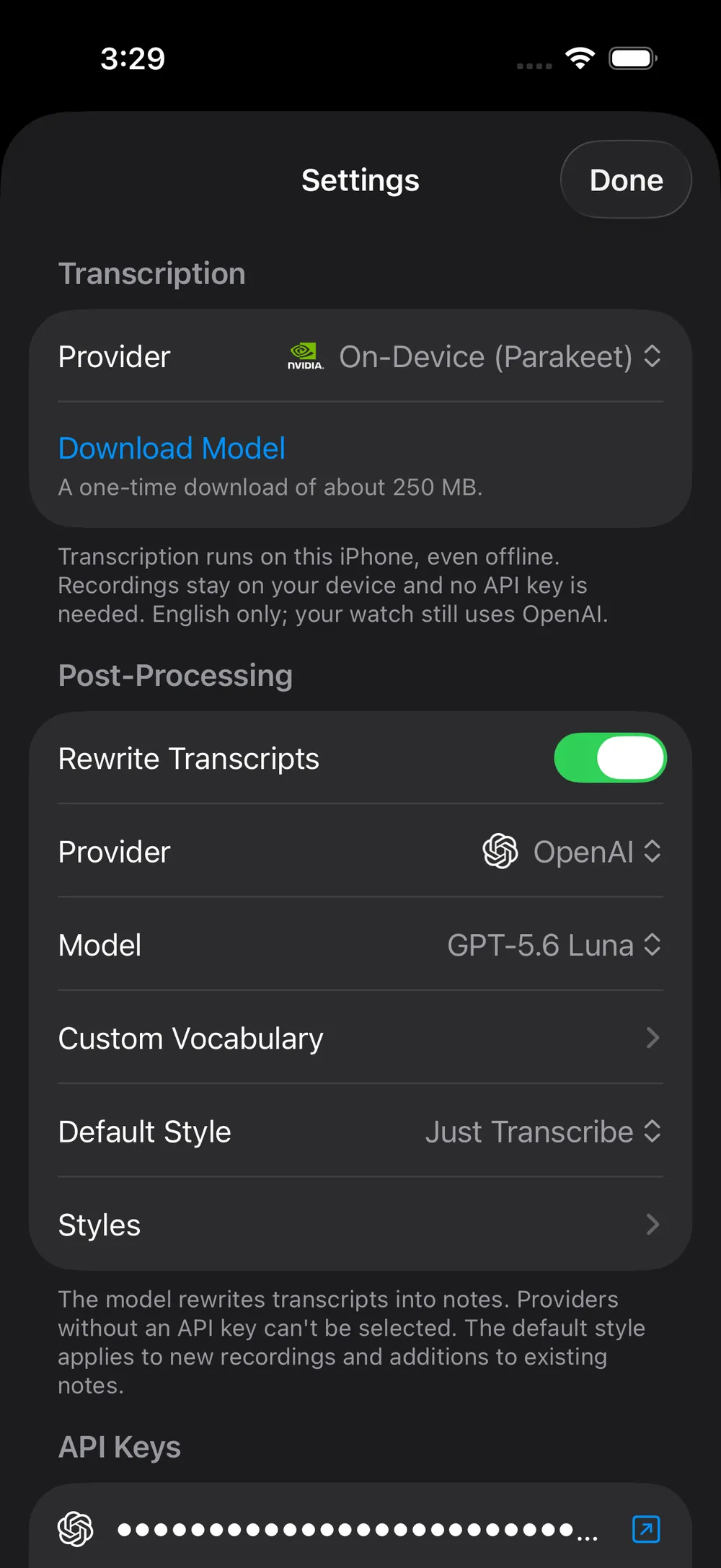
Transcription runs one of two ways. Send audio to OpenAI's Whisper with your key, or transcribe entirely on-device with NVIDIA's Parakeet model, a one-time download that then works offline, needs no key, and keeps every recording on your phone.

Rewriting, the step that turns a transcript into a note, is a separate choice, because not every provider does both jobs well. Pick OpenAI, Anthropic (Claude), or Google Gemini, and choose the specific model, from cheap-and-fast to more capable. Prefer to keep the raw words? Turn rewriting off and Hammock saves the cleaned-up transcript on its own.

Keys live in the Keychain and sync securely to your Apple Watch. You only add keys for the providers you actually use.

Styles

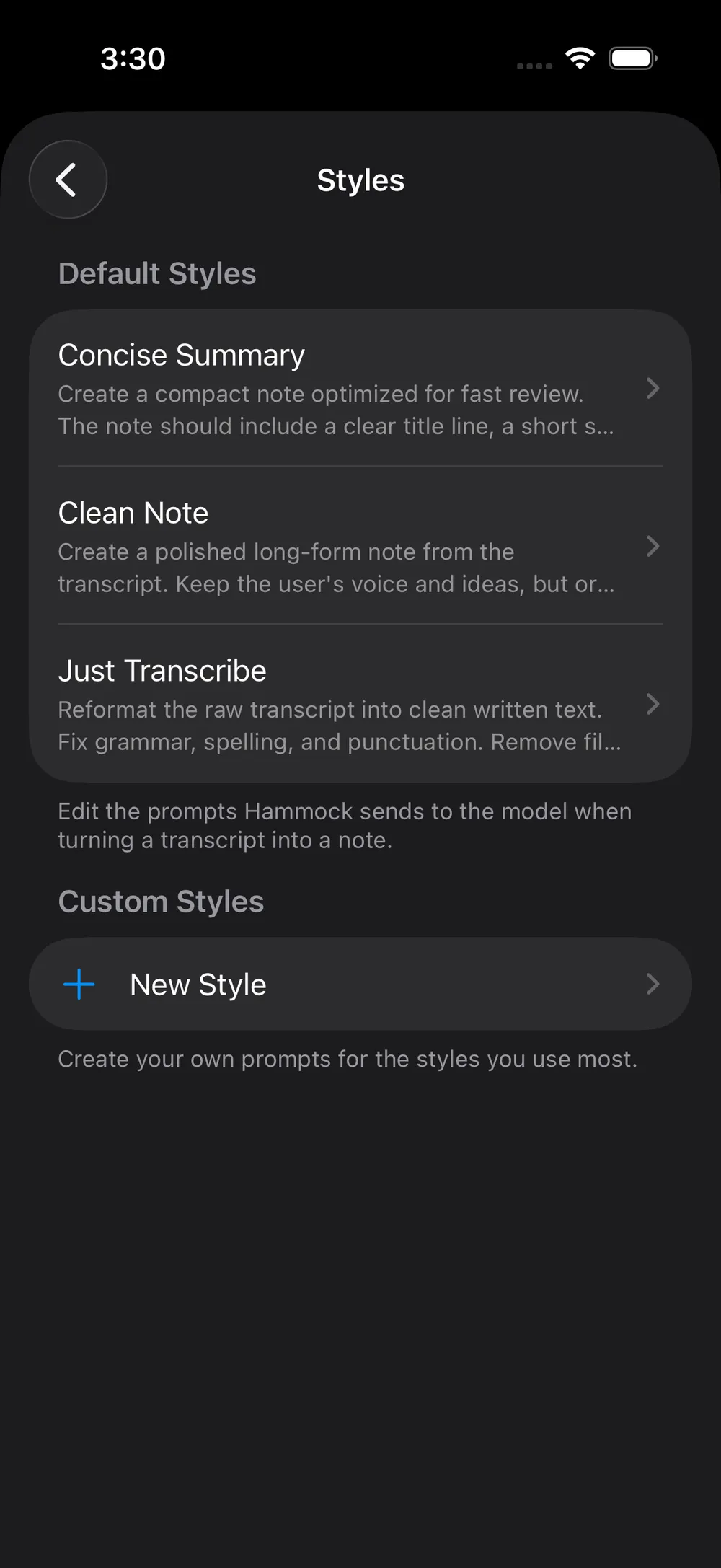
A style is the instruction Hammock gives the model about how to shape your words. It ships with three:

You can rewrite the prompt behind any built-in style, or write your own from scratch, so a note can come out as meeting minutes, a shopping list, or a blog draft, depending on what you said.

Everywhere you'd want to capture

The idea is that the gap between having a thought and recording it should be as close to zero as possible.

Apple Watch. A standalone watch app. Start, transcribe, and read notes from your wrist without the phone in the room.

A tap from anywhere. Home Screen and Lock Screen widgets, a Control Center button, and a Shortcuts action all drop you straight into recording, and each can be pinned to a specific style, so "record a summary" is one tap.

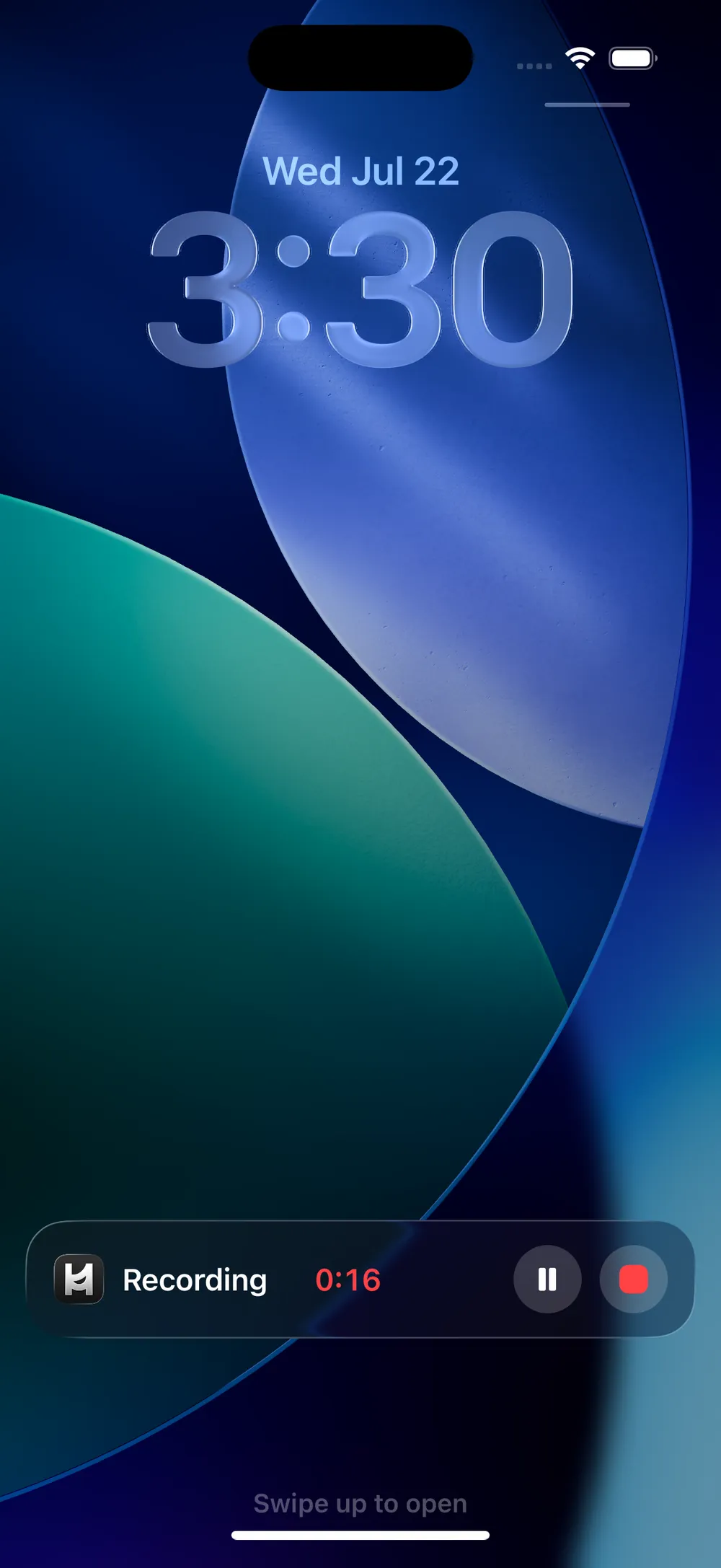
Live Activity. While you're recording, a live timer and stop button sit on the Lock Screen and in the Dynamic Island, so the recording never gets lost behind another app.

How it's built

Hammock is SwiftUI top to bottom, across iPhone, iPad, and watchOS from one shared core. Notes persist in SwiftData, synced through a private CloudKit container so your library and your styles follow you across devices.

The provider layer is deliberately swappable. Transcription and rewriting each sit behind a small protocol, with OpenAI, Anthropic, and Gemini as interchangeable implementations, so adding or swapping a model is a contained change. On-device transcription runs the Parakeet model on the Neural Engine. The recording surfaces lean on the newer platform pieces: App Intents for the widgets, Control Center button, and Shortcuts action, and ActivityKit for the Live Activity and Dynamic Island.

Privacy

Hammock doesn't have a server, an account, or any analytics of mine. Your notes live on your device and in your own private iCloud. Because you bring your own keys, the app talks straight to the provider you chose, and only that one.

The one thing worth being clear about. If you use a cloud provider for transcription or rewriting, that recording or transcript is sent to that company under your own account, subject to their terms. If you'd rather nothing leave your phone, use on-device transcription and turn rewriting off, and Hammock works entirely offline.

The name

Hammock is named after Rich Hickey's 2010 talk, Hammock-Driven Development. The argument stuck with me. Hard problems aren't solved by typing faster. They're solved by loading a problem into your head, stepping away from the computer, and handing it to your background mind to work on while you do something else. Some of that is quiet and internal, but a lot of it is talking: stating the problem out loud, turning it over, narrating the tradeoffs until the shape of an answer finally shows up.

That's the moment this app is built for. When the idea finally arrives, on the hammock or the walk or the drive, Hammock is there to catch it before it evaporates.

Made with intent

Life is too short for bad software. A voice note is a small thing, but the tool that catches your thinking ought to be quiet, fast, and yours, not one more place your words get held hostage.

It is also, on purpose, not a final home. Every note is plain text you can send straight out through the share sheet into whatever tool or model you reach for next. The point is to catch a thought and keep moving, not to lock it away.